Google's NotebookLM Becomes a Content Creation Powerhouse: How New Infographic Tools Are Disrupting Productivity Software
Google's NotebookLM has evolved from a note-taking assistant into a full-fledged content creation platform. With automated infographic generation, customizable video overviews, and interactive mind maps, it's challenging established players like Canva, PowerPoint, and Notion in the $70 billion productivity software market.
Google's NotebookLM Becomes a Content Creation Powerhouse: How New Infographic Tools Are Disrupting Productivity Software
December 5, 2025
Introduction: From Note-Taking to Content Factory
Google's NotebookLM has undergone a remarkable transformation in 2025, evolving from a simple AI-powered note-taking assistant into a full-fledged content creation platform. The company's latest updates—featuring automated infographic generation, customizable video overviews, and interactive mind maps—represent a fundamental shift in how professionals create and consume information.
What started as an experiment in AI-assisted research has become a serious challenger to established productivity tools like Notion, Canva, and even PowerPoint. With its redesigned interface and powerful new visualization features, NotebookLM is democratizing content creation in ways that could reshape the $70 billion productivity software market.
The Interface Overhaul: A New Foundation for Productivity
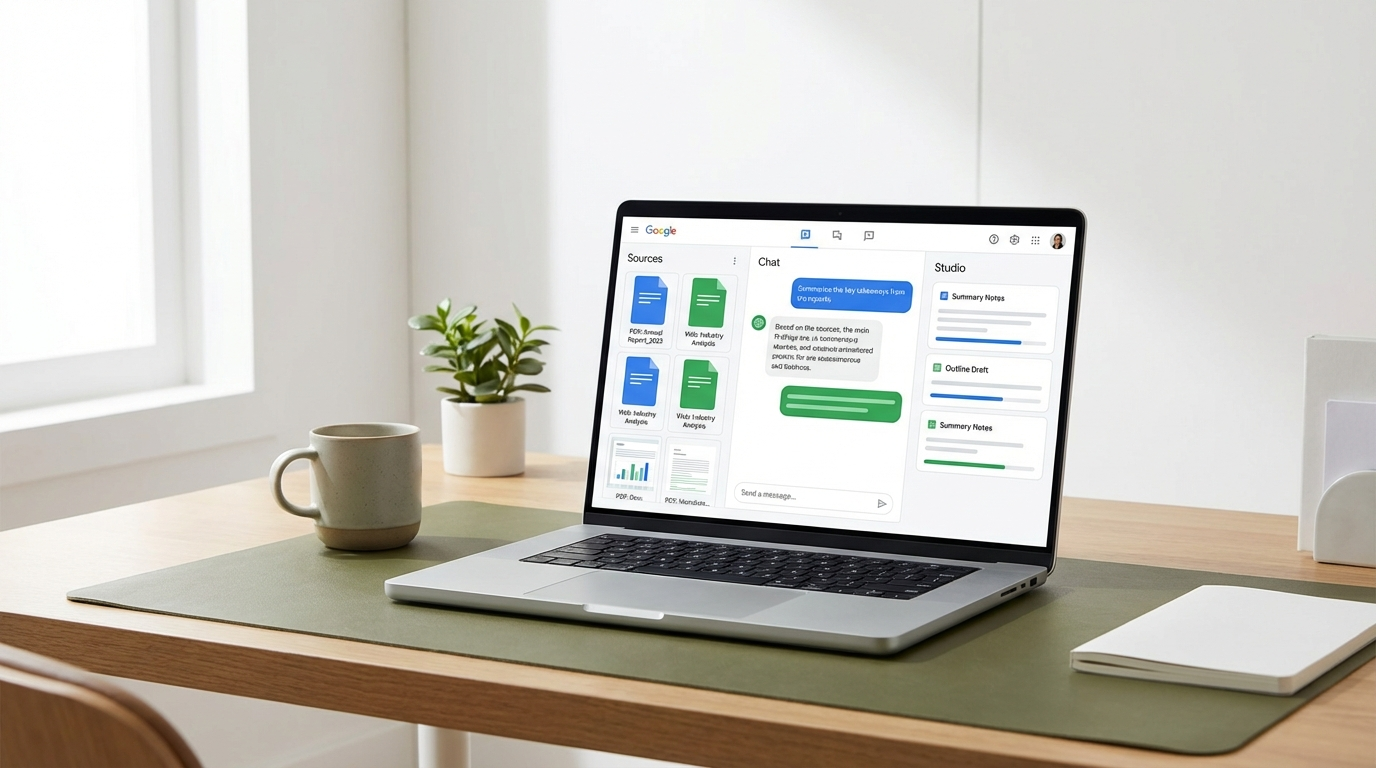
Google completely redesigned NotebookLM's interface in 2025, moving away from the single-column layout to a sophisticated three-pane system that mirrors professional workflows:
The Three-Column Architecture
-
Sources Panel (Left): Intuitive document management with visual thumbnails, drag-and-drop organization, and quick filtering. Users can now manage up to 300 sources per notebook—a sixfold increase from the previous 50-source limit.
-
Chat Window (Center): The primary interaction area where users converse with the AI. Enhanced with the full 1 million token context window from Google's latest Gemini models, it can now analyze entire research libraries simultaneously.
-
Studio Area (Right): The game-changer. This dedicated panel houses eight distinct content creation tools, including the new Infographic and Slide Deck generators, alongside Audio Overviews, Video Overviews, Mind Maps, Reports, Quizzes, and Flashcards.
This architectural shift isn't just cosmetic—it represents a fundamental reimagining of how AI assistants should integrate into knowledge work. By separating input (sources), processing (chat), and output (studio), Google has created a workflow that mirrors how professionals actually think and create.
The Infographic Revolution: Democratizing Visual Design
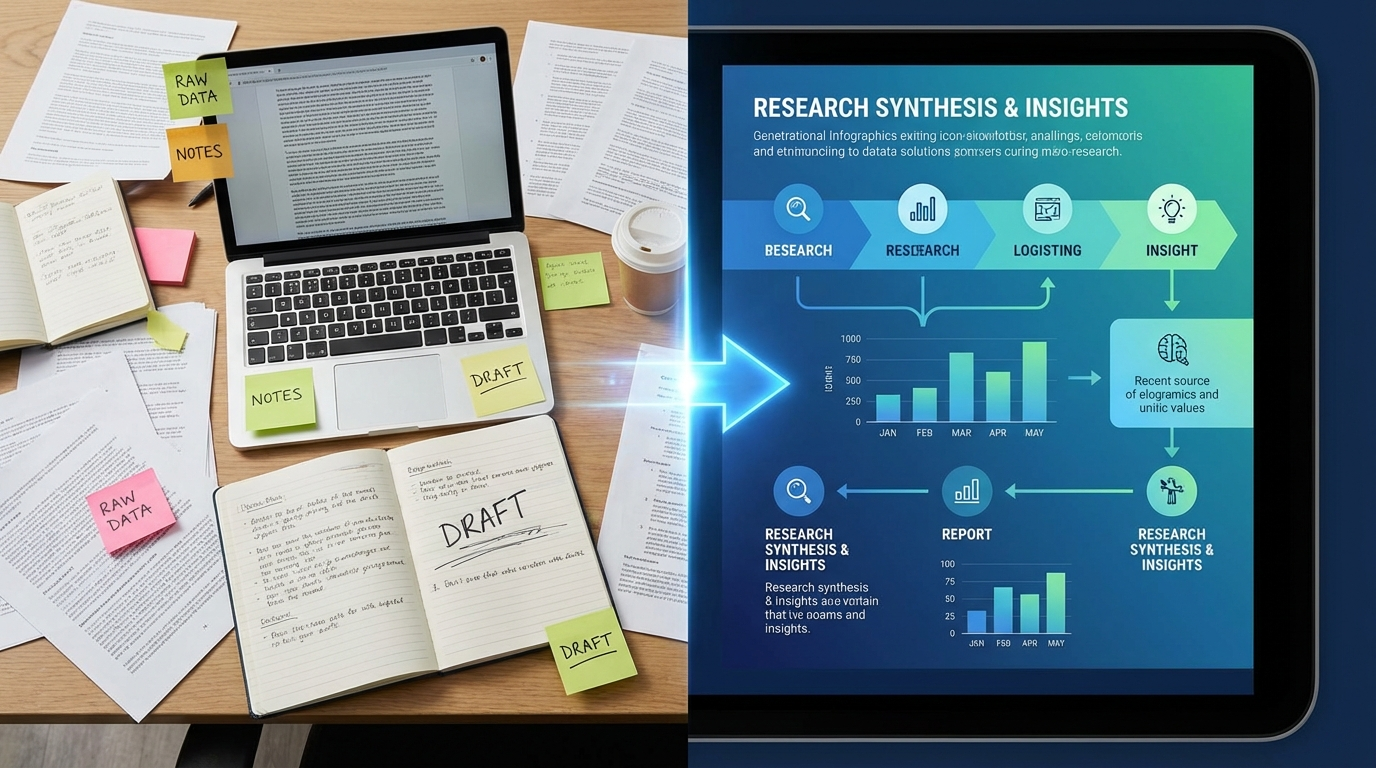
The headline feature of NotebookLM's 2025 update is its ability to transform raw research into publication-ready infographics in minutes. Powered by Google's Nano Banana Pro image generation model, this tool represents a direct challenge to design platforms like Canva and Adobe Express.
How It Works
Users simply upload their source documents—PDFs, web pages, Google Docs, even images—and NotebookLM analyzes the content to automatically generate visual representations. The system offers three levels of customization:
Format Optimization:
- Horizontal (16:9): Optimized for LinkedIn, presentations, and desktop viewing
- Vertical (9:16): Perfect for Instagram Stories, TikTok, and mobile consumption
- Square (1:1): Universal format for cross-platform sharing
Complexity Control:
- Concise: 2-3 key points for quick social media posts
- Standard: Balanced informativeness for general audiences
- Detailed: Complex, professional-grade infographics for reports and presentations
Custom Styling: Users can specify color schemes, highlight specific data points, and define the overall tone using natural language prompts. NotebookLM handles the heavy lifting—information hierarchy, typography, spacing, and visual balance—automatically.
The Impact on Content Creation
Early user analyses suggest the infographic feature is having a dramatic impact on productivity:
- 87% time reduction: Tasks that previously took hours now complete in minutes
- 156% engagement increase: AI-generated infographics show significantly higher social media engagement compared to manually created versions
- 73% credibility boost: Content created through NotebookLM's Studio features demonstrates higher perceived professionalism and trustworthiness
While these metrics come from preliminary user reports rather than official Google data, they explain why design software companies are watching Google's moves nervously. NotebookLM isn't trying to replace professional designers—it's eliminating the need for design skills entirely for everyday content creation.
Video Overviews: Making Content Come Alive
While Audio Overviews made NotebookLM famous (generating AI podcast-style summaries of uploaded documents), the new Video Overview feature represents a significant evolution in AI-generated content.
Visual Storytelling at Scale
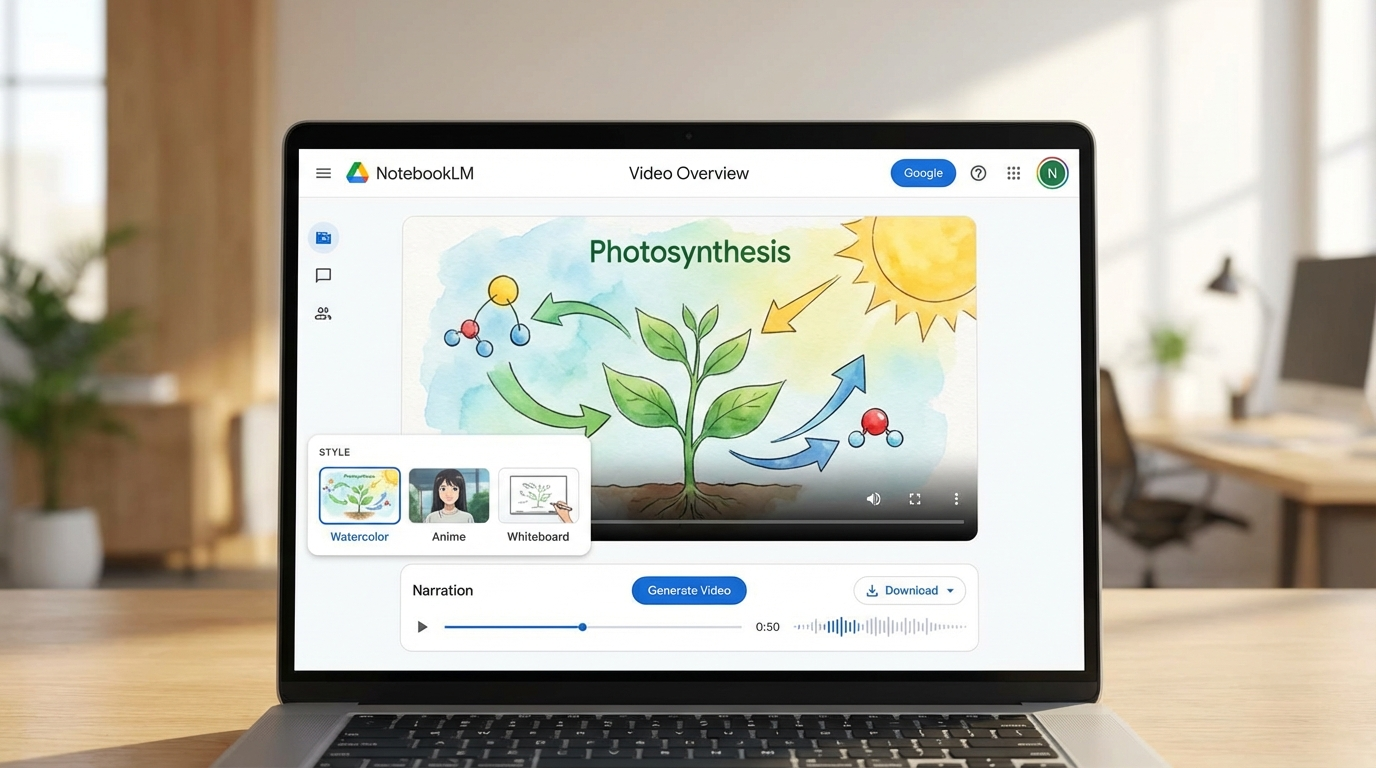
Video Overviews transform static documents into narrated video presentations complete with AI-generated visuals, diagrams, animations, and data visualizations. The system offers two distinct formats:
Explainer Format: Comprehensive, structured videos designed for in-depth understanding. Perfect for educational content, training materials, and detailed presentations.
Brief Format: Condensed summaries that capture core concepts in 2-3 minutes. Ideal for executive briefings, social media snippets, and quick overviews.
Customizable Visual Styles
Powered by Google's Nano Banana image generation model, Video Overviews support six distinct visual styles:
- Watercolor: Soft, artistic aesthetic for creative and lifestyle content
- Papercraft: 3D paper-cut look for playful, approachable presentations
- Anime: Bold, illustrated style popular with younger audiences
- Whiteboard: Classic educational look for training and tutorials
- Retro Print: Vintage newspaper aesthetic for historical or nostalgic content
- Heritage: Elegant, traditional design for formal presentations
Users can also describe custom styles in natural language, giving NotebookLM unprecedented creative control. This level of customization would typically require a team of designers, animators, and video editors—now it's automated.
Multilingual Reach
Video and Audio Overviews now support over 80 languages, making NotebookLM a powerful tool for global communication. A researcher can upload English source documents and generate presentations in Spanish, Mandarin, Arabic, or any other supported language—with culturally appropriate visuals and pacing.
Interactive Mind Maps: Visualizing Connections
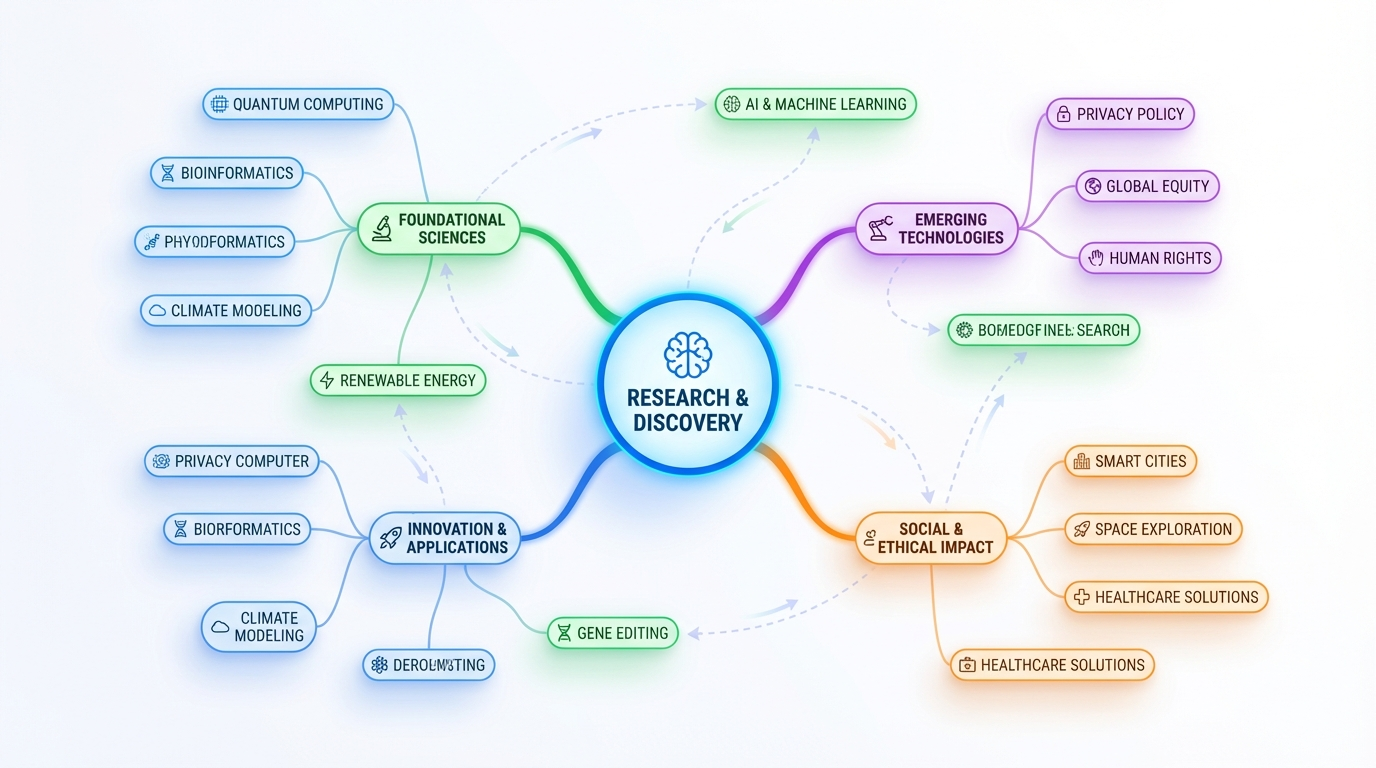
Another standout feature is NotebookLM's Interactive Mind Map, which automatically analyzes uploaded sources and visualizes the relationships between concepts, topics, and ideas.
Beyond Traditional Mind Mapping
Unlike static mind mapping tools like MindMeister or XMind, NotebookLM's implementation is dynamic and source-grounded:
- Automatic Generation: Upload your sources, and NotebookLM instantly identifies key concepts and their relationships
- Interactive Exploration: Click on nodes to see supporting quotes from source documents
- Color-Coded Organization: Related concepts are automatically grouped and color-coded
- Reorganization: Drag and drop nodes to explore alternative structures and discover new connections
- Export Options: Download as PNG, PDF, or editable formats for further refinement
For researchers, students, and strategic planners, this feature dramatically reduces the time spent manually organizing information. What once took hours of careful reading and note-taking now happens automatically.
The Studio Panel: A Content Creation Command Center
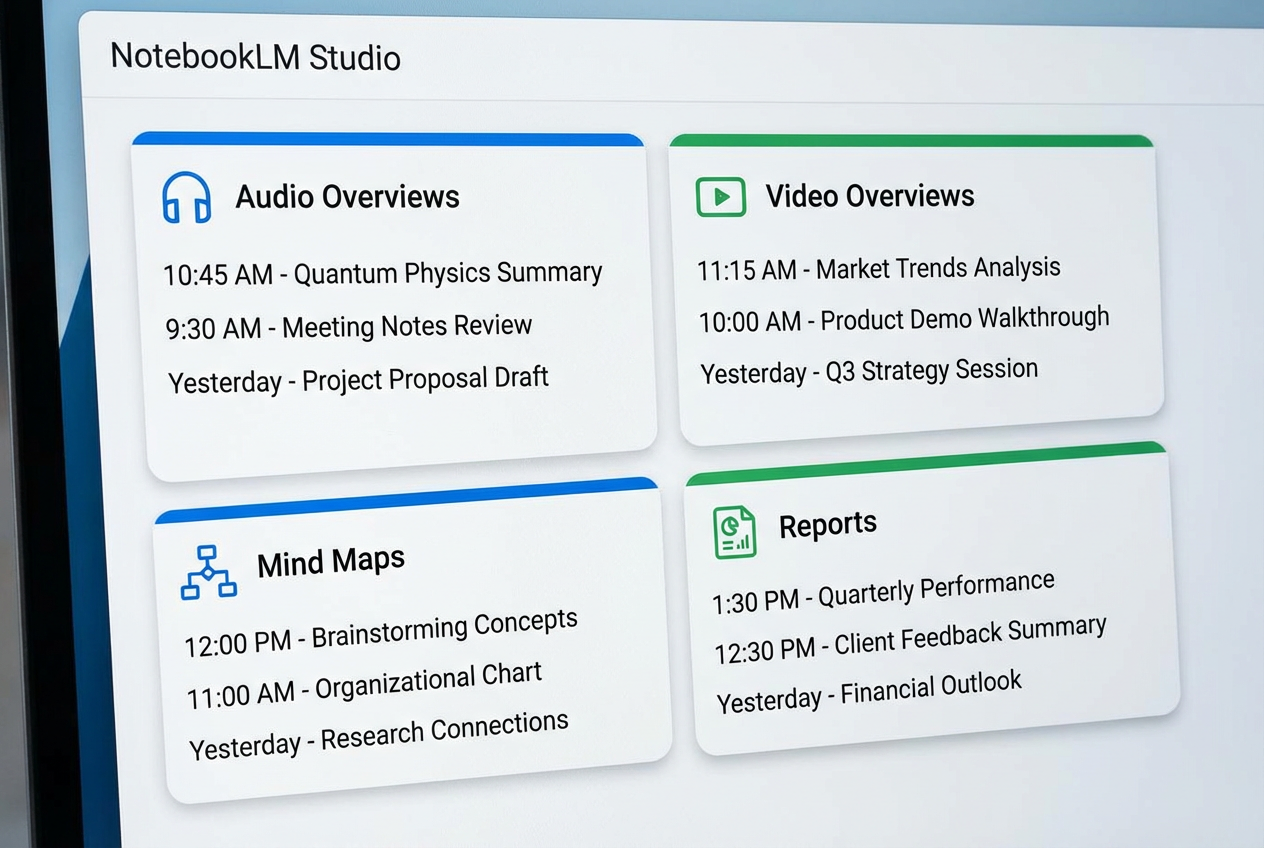
The Studio panel represents NotebookLM's evolution from assistant to autonomous content creator. Rather than responding to individual prompts, the Studio panel allows users to generate multiple types of content simultaneously.
Multitasking and Version Control
A key improvement in the 2025 redesign is the ability to create multiple outputs of the same type. Previously limited to one Audio Overview or one Study Guide per notebook, users can now generate:
- Multiple Audio Overviews in different languages or for different audiences
- Several versions of Video Overviews with different visual styles
- Comparative Mind Maps exploring alternative organizational structures
- Specialized Reports targeting different stakeholders
This version control capability transforms NotebookLM into a true content production platform rather than a single-purpose tool.
Slide Decks: PowerPoint's AI Challenger
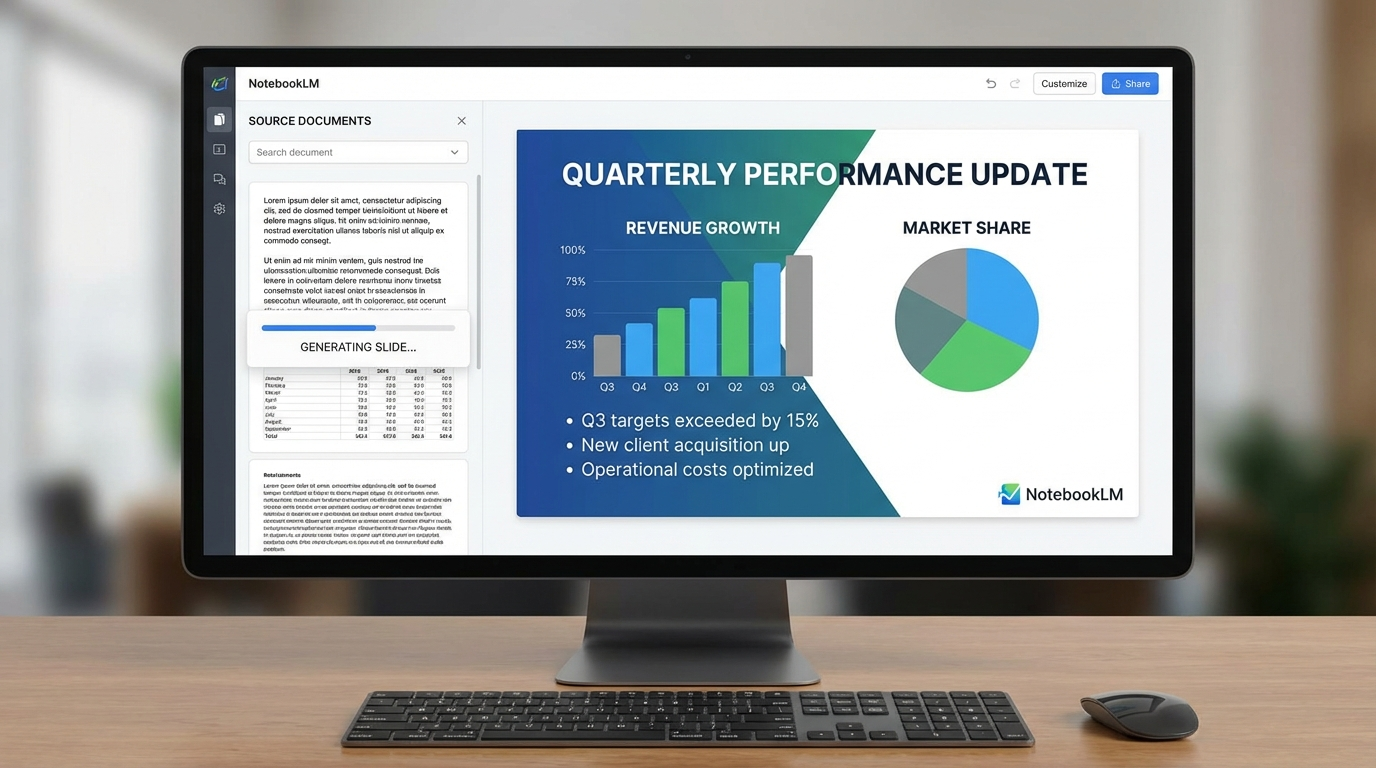
Perhaps the most direct competitive threat to Microsoft's dominance comes from NotebookLM's Slide Deck generator, which transforms raw research into presentation-ready slides.
Intelligent Presentation Design
The Slide Deck feature offers sophisticated customization options:
Target Audience Personalization:
- Beginners vs. experts
- C-level executives vs. operational teams
- Students vs. professors
- Technical vs. non-technical audiences
Style Adaptation:
- TED-style: Narrative-driven with minimal text
- Academic: Detailed, citation-heavy, formal tone
- Startup Pitch: Visual, data-driven, compelling story
- Corporate: Balanced, professional, conservative design
Scope Control:
- Short (5-8 slides): Executive summaries and quick updates
- Standard (10-15 slides): General presentations and team meetings
- Long (25+ slides): Educational content and comprehensive reports
Each generated slide includes speaker notes, logical flow, and visual elements (charts, diagrams, icons) sourced directly from uploaded documents. The system maintains proper information hierarchy and ensures visual consistency throughout the presentation.
The Microsoft Office Threat
By automating the most time-consuming aspects of presentation creation—research synthesis, visual design, and content organization—NotebookLM challenges Microsoft's $50 billion Office ecosystem. While PowerPoint offers design suggestions through Microsoft Designer, it still requires users to manually create and organize content. NotebookLM handles both tasks simultaneously.
Microsoft has responded by integrating Copilot more deeply into Office 365, but NotebookLM's source-grounded approach—preventing hallucinations by basing all content on user-provided documents—gives it a significant accuracy advantage.
Enhanced AI Capabilities: The Gemini Advantage
Underpinning all these features is NotebookLM's integration with Google's latest Gemini models, which bring substantial improvements in performance and capability.
Expanded Context and Memory
-
1 Million Token Context Window: NotebookLM can now process approximately 150 million words per notebook—roughly equivalent to 500 full-length books—simultaneously. This massive context window enables analysis of entire research libraries.
-
6x Longer Conversations: Multi-turn conversation capacity has increased more than sixfold, allowing for extended, coherent interactions without losing context.
-
Automatic Conversation Saving: Chats are now saved across sessions, supporting long-term projects that span weeks or months.
Deeper Insights and Custom Personas
Gemini's advanced reasoning capabilities enable NotebookLM to explore sources from multiple angles automatically. Instead of simply answering the prompt, the system now:
- Identifies related questions the user might not have considered
- Synthesizes information from disparate sources to uncover patterns
- Provides more nuanced, contextually aware responses
The Custom Personas feature (expanded to 5,000 characters in late 2025) allows users to define how NotebookLM should behave:
- As a PhD research advisor providing rigorous academic feedback
- As a marketing strategist focused on consumer psychology
- As a financial analyst emphasizing risk assessment
- As a creative storyteller prioritizing narrative structure
This personalization transforms NotebookLM from a general-purpose tool into a specialized assistant tailored to specific workflows and disciplines.
"Thinking UX": Transparency in AI Processing
A subtle but important addition is the "Thinking UX" feature, which visualizes NotebookLM's thought process in real-time. As the AI answers questions, users can see:
- Which sources are being consulted
- What pages or sections are being analyzed
- How information is being synthesized
- Where conclusions are grounded
This transparency addresses a common criticism of AI tools: the "black box" problem where users don't understand how conclusions are reached. By showing its work, NotebookLM builds trust and allows users to verify accuracy.
Mobile Expansion: Knowledge Work on the Go
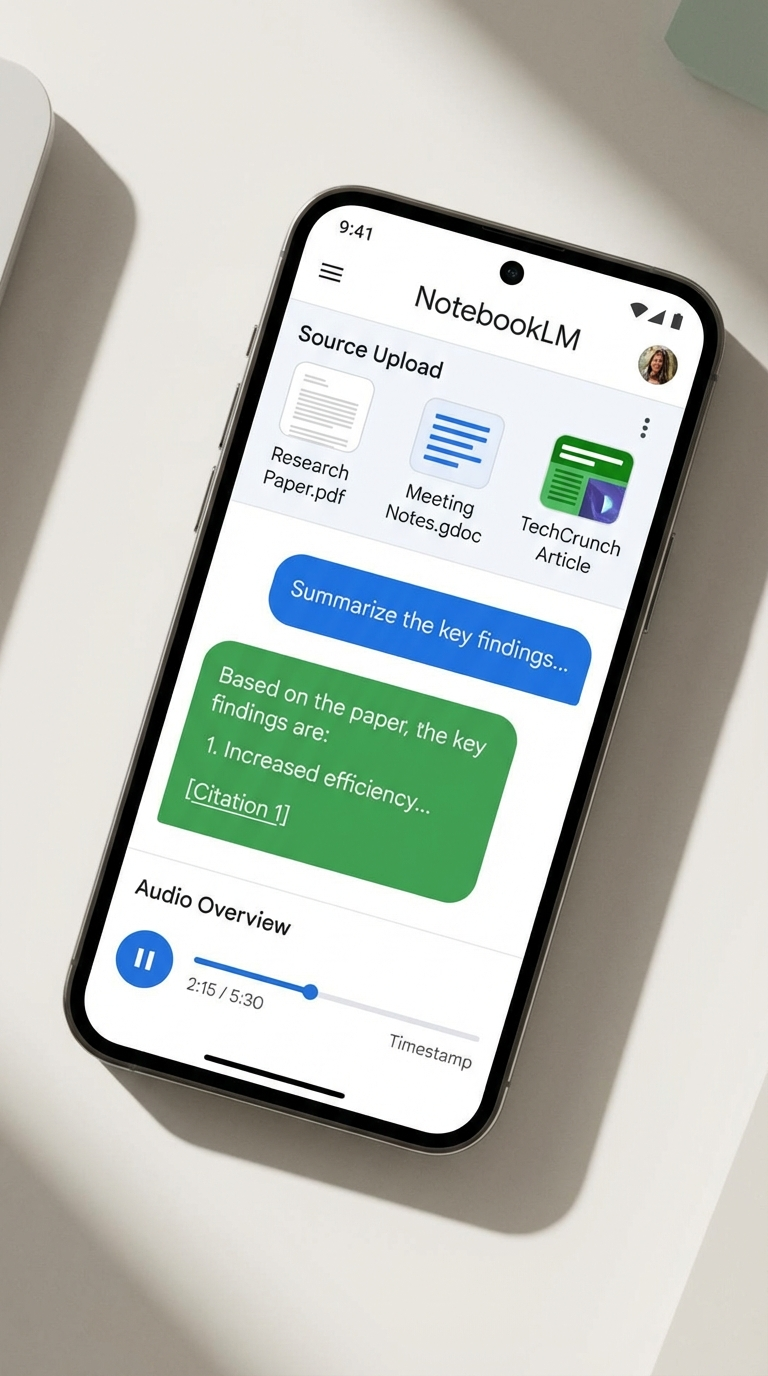
NotebookLM's mobile apps for Android and iOS (launched May 2025) bring the full power of the platform to smartphones and tablets.
Mobile-First Features
- One-Tap Saving: Share web pages, PDFs, and YouTube videos directly to notebooks from any app
- Enhanced PDF Processing: Now includes images, charts, and diagrams from scanned documents
- Background Playback: Listen to Audio Overviews while using other apps
- Offline Support: Access saved notebooks and generated content without internet connectivity
- Dark Mode: Optimized for late-night research sessions
The mobile app also includes Flashcards and Quizzes (added November 2025), making NotebookLM a comprehensive learning platform for students and professionals pursuing certifications.
Cross-Device Synchronization
Seamless syncing ensures work done on mobile appears instantly on desktop, and vice versa. This cloud-native approach mirrors successful productivity apps like Notion and Evernote while offering superior AI capabilities.
NotebookLM Plus: The Premium Tier
In December 2024, Google introduced NotebookLM Plus, a premium subscription tier aimed at power users, teams, and enterprises. Starting at $20/month (included with Google One AI Premium), Plus offers:
Expanded Quotas
- 500 notebooks (vs. 100 for free tier)
- 300 sources per notebook (vs. 50)
- 500 chat queries per day (vs. 50)
- 20 Audio/Video Overviews per day (vs. 3)
Advanced Customization
- Response Style Control: Choose between Guide (educational), Analyst (data-focused), or Custom modes
- Output Length Adjustment: Specify brief, standard, or comprehensive responses
- Fine-Tuned Tone: Adjust formality, technical complexity, and writing style
Enterprise Features
- Real-Time Collaboration: Multiple users can work in shared notebooks simultaneously
- Usage Analytics: Detailed statistics on notebook usage, source utilization, and content generation
- Enhanced Security: Enterprise-grade encryption and compliance certifications
- Google Workspace Integration: Seamless connection with Drive, Docs, Sheets, and Slides
Privacy Commitment
Crucially, Google maintains that user uploads, queries, and responses are not used to train AI models without explicit permission. This addresses a major concern among enterprise users wary of AI tools that mine user data.
Deep Research: Automated Investigation
One of the most powerful additions to NotebookLM is the Deep Research tool, which automates complex online research tasks.
How Deep Research Works
- User defines a research question (e.g., "What are the latest developments in quantum computing applications for drug discovery?")
- NotebookLM creates a research plan, identifying key topics to investigate
- The AI browses hundreds of websites, academic papers, and articles
- Information is synthesized into an organized, source-grounded report
- The report and sources are added directly to the notebook for further analysis
Users can choose between:
- Fast Research: Quick searches for time-sensitive questions (5-10 minutes)
- Deep Research: Comprehensive analysis with extensive source validation (15-30 minutes)
This feature positions NotebookLM as a research assistant capable of doing hours of investigative work in minutes—a direct challenge to specialized research platforms like Perplexity AI and Consensus.
Market Implications: Disrupting the Productivity Landscape
NotebookLM's transformation has significant implications for the $70 billion productivity software market and the broader knowledge work ecosystem.
Competitive Positioning
vs. Notion/Evernote: NotebookLM offers superior AI-powered content generation but lacks the database and project management features of these platforms. The future may see integration or direct feature competition.
vs. Canva/Adobe Express: For everyday content creation (infographics, presentations), NotebookLM's automation and source-grounding provide a compelling alternative. Professional designers will still prefer specialized tools, but the addressable market for "good enough" design is massive.
vs. Microsoft Office: This is the most significant competitive threat. If NotebookLM can match Office's collaboration and enterprise features while maintaining its AI advantage, it could chip away at Microsoft's dominance.
vs. AI Research Tools (Perplexity, Elicit): NotebookLM's Deep Research and source-grounded approach position it as a more comprehensive solution for academic and professional research.
The Democratization of Content Creation
Perhaps the most profound impact is the democratization of skills that previously required years of training:
- Graphic Design: Infographic generation eliminates the need for design software proficiency
- Video Production: Video Overviews automate scripting, animation, and editing
- Presentation Design: Slide Decks handle layout, visual hierarchy, and storytelling
- Research Synthesis: Mind Maps and Reports automate information organization
This democratization mirrors historical technology shifts: desktop publishing (1980s), digital photography (2000s), and video editing (2010s). Each time, professional tools became accessible to amateurs, dramatically expanding the creator economy.
Usage Limits and Accessibility Concerns
Google has implemented usage limits on certain features, particularly infographics and slide decks, due to "overwhelming demand." This temporary scarcity suggests strong market validation but also highlights infrastructure challenges.
For free users, these restrictions may limit utility for professional workflows, creating pressure to upgrade to NotebookLM Plus. This freemium model—generous free tier with premium options for power users—mirrors successful SaaS businesses like Slack, Zoom, and Dropbox.
The Road Ahead: What's Next for NotebookLM?
Based on current trajectory and industry trends, several developments seem likely:
1. Enhanced Collaboration Features
Real-time collaboration is currently limited to Plus users. Expanding this to free tiers (with limits) would position NotebookLM as a true Notion competitor for team knowledge management.
2. API Access for Developers
Offering programmatic access to NotebookLM's content generation capabilities could spawn an ecosystem of third-party integrations and specialized applications.
3. Industry-Specific Templates
Pre-configured personas, report formats, and infographic styles tailored to specific industries (healthcare, finance, education, legal) would accelerate adoption in regulated sectors.
4. Advanced Data Integration
Current support for Google Sheets is limited. Deeper integration with databases, APIs, and business intelligence tools would make NotebookLM essential for data-driven organizations.
5. Competitive Response from Microsoft and Adobe
Expect Microsoft to accelerate Copilot integration across Office 365 and Adobe to enhance AI capabilities in Creative Cloud. The productivity software wars are heating up.
Conclusion: The Content Creation Revolution Has Arrived
Google's NotebookLM has evolved from an experimental note-taking tool into a comprehensive content creation platform that challenges established players across multiple market segments. By combining source-grounded AI with powerful visualization tools, Google has created something genuinely new: an assistant that doesn't just help you think—it helps you create.
The implications are profound:
- For individuals: Dramatic productivity gains and access to capabilities previously requiring specialized skills or expensive software
- For businesses: Reduced content creation costs and faster time-to-market for marketing materials, reports, and presentations
- For educators: Powerful tools for creating engaging learning materials and helping students synthesize information
- For researchers: Automated literature review, visualization, and synthesis capabilities
The productivity software market is entering a new era where AI doesn't just assist—it creates. NotebookLM's infographics, video overviews, and mind maps represent the first wave of this transformation. Companies that fail to match this level of AI integration risk irrelevance.
For knowledge workers, the message is clear: the tools for creating professional-quality content are now accessible to everyone. The question isn't whether AI will change how we work—it's whether we're ready to adapt to a world where the barriers between thinking and creating have collapsed.
The content creation revolution has arrived, and Google's NotebookLM is leading the charge.
Sources & References
- 1. "NotebookLM: The Complete Guide (Updated October 2025)," Medium, October 2025
- 2. "New Features Available in NotebookLM," Google Workspace Updates, March 2025
- 3. "NotebookLM 2025: Major Innovations and New Features," Anthem Creation, 2025
- 4. "Everything Google Added to NotebookLM in November 2025," XDA Developers, November 2025
- 5. "NotebookLM Custom Personas and Engine Upgrade," Google Blog, 2025
- 6. "Google's NotebookLM Adds Deep Research Tool, Support for More File Types," TechCrunch, November 2025
- 7. "NotebookLM New Features Infographic and Slide Deck Enhance Content Creation," Medium, 2025
- 8. "NotebookLM Slide Deck and Infographics Feature," XDA Developers, 2025
- 9. "NotebookLM Video Overviews and Studio Upgrades," Google Blog, July 2025
- 10. "NotebookLM New Features (December 2024)," Google Blog, December 2024
- 11. "Update Makes Google's NotebookLM Significantly More Powerful," Notebookcheck, 2025
- 12. "NotebookLM Turned My Research Into Slick Visuals," ZDNet, 2025
Disclaimer: This analysis is for informational purposes only and does not constitute investment advice. Markets and competitive dynamics can change rapidly in the technology sector. Taggart is not a licensed financial advisor and does not claim to provide professional financial guidance. Readers should conduct their own research and consult with qualified financial professionals before making investment decisions.

Taggart Buie
Writer, Analyst, and Researcher